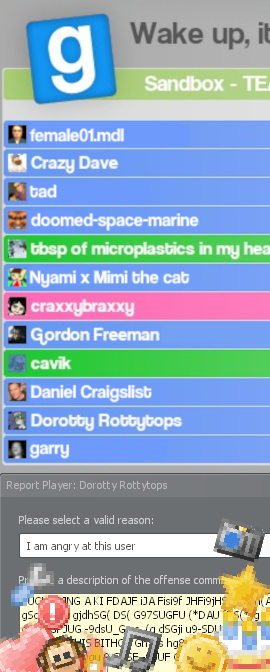
As you may have noticed, the scoreboard has changed. This is the scoreboard as it appeared back in Garry's Mod 12. Up front, it displays a player's avatar, their name, their ping, kills, deaths, etcetera. You can click on their name to expand a drop-down menu with more options. See what they've spawned on the left, and to the right you have their ratings, the mute button, and the report button.
To mute a player, click the Mute button. Note that this will only mute their voice communications, not their text messages, and only for the current session. You may have to re-mute the same person again if they are persistent.
To report people, press the Report button. Please make sure to select a valid reason from the drop down, and please type a detailed description. Otherwise, we may skim past your worthless report. Reports are checked periodically, but action is not guranteed. And please, don't spam-report anyone. It will just annoy us and we'll toss the report(s) to spite you.
To give a rating, click any of the icons on the right. They will be notified of their new rating, but they won't know who rated them unless you tell them. (adds to the fun and bitching). Ratings are pretty cool. There are twelve ratings one can recieve and collect.